
Armoury Crate: The Complete Guide
Armoury Crate is ASUS’s official control software for ROG and TUF devices, bringing performance tuning, RGB lighting, cooling control, and system monitoring into one app. This guide explains what it does, which devices support it, how to set it up, and how to fix common problems. If you just need the installer, use the download button on this page.
What is Armoury Crate?
At its core, the software is an all-in-one system manager developed by ASUS for ROG and TUF laptops and desktops. It replaces a handful of separate utilities with a single dashboard for performance, cooling, lighting, and updates.

Instead of juggling separate tools for fans, RGB, and power plans, you get one central hub that handles hardware monitoring, driver updates, game profiles, and peripheral settings together.
Why Use Armoury Crate?
All-in-One Control Hub for ASUS Gaming Systems
One dashboard for performance, cooling, RGB, and updates, built specifically for ROG and TUF systems. No more juggling separate utilities.
Centralized Control for All Your ASUS Devices
Keyboards, mice, headsets, motherboards, and GPUs all managed from one place, with per-device settings that stay in sync.
Performance Profiles Tailored to Your Game
Create custom profiles that switch automatically when you launch a game, adjusting power, cooling, and lighting to match.
Advanced Aura Sync RGB Lighting
Synchronize RGB lighting across all supported devices with built-in Aura Sync, from subtle static colors to full animated effects.
Real-Time System Monitoring
Live CPU temperature, GPU load, fan speeds, and more, visible at a glance without opening another monitoring tool.
Game Library and Scenario Profiles
Installed games are detected automatically, with the right system settings applied the moment you launch them.
Regular Updates and Expanding Compatibility
ASUS keeps adding features, driver integrations, and new device support, so the app grows with your setup.
| Software Name | Armoury Crate |
| Supported OS | Windows 10 (64-bit), Windows 11 (64-bit) |
| Latest Version | Depends on device model (Updated automatically via Armoury Crate) |
| File Size | Approx. 1–2 GB (varies by ASUS device and components) |
| Supported Devices | ASUS ROG & TUF laptops, desktops, motherboards, peripherals |
| Developer | ASUS |
| License | Free (Pre-installed or downloadable) |
| Main Features | RGB control (Aura Sync), performance modes, driver updates, system monitoring |
| Internet Required | Yes (for updates and online features) |
| Installation Method | Pre-installed on supported devices or installed via ASUS support |

The app runs on Windows 10 and 11 (64-bit) and supports most ROG and TUF laptops and desktops. Some features, like advanced RGB control, depend on your specific model. You need an internet connection for the initial setup and updates.
How to Install and Set Up Armoury Crate?
Extract the downloaded ZIP, run the installer, and allow the requested permissions. Follow the prompts, restart when asked, then open the app from the Start Menu. First-time setup scans your hardware and applies sensible defaults, after which you can customize profiles, lighting, and fan curves. If anything goes wrong, our installation troubleshooting guide covers the common errors.
What Are the Performance Modes in Armoury Crate?
Three main modes control how your system behaves:
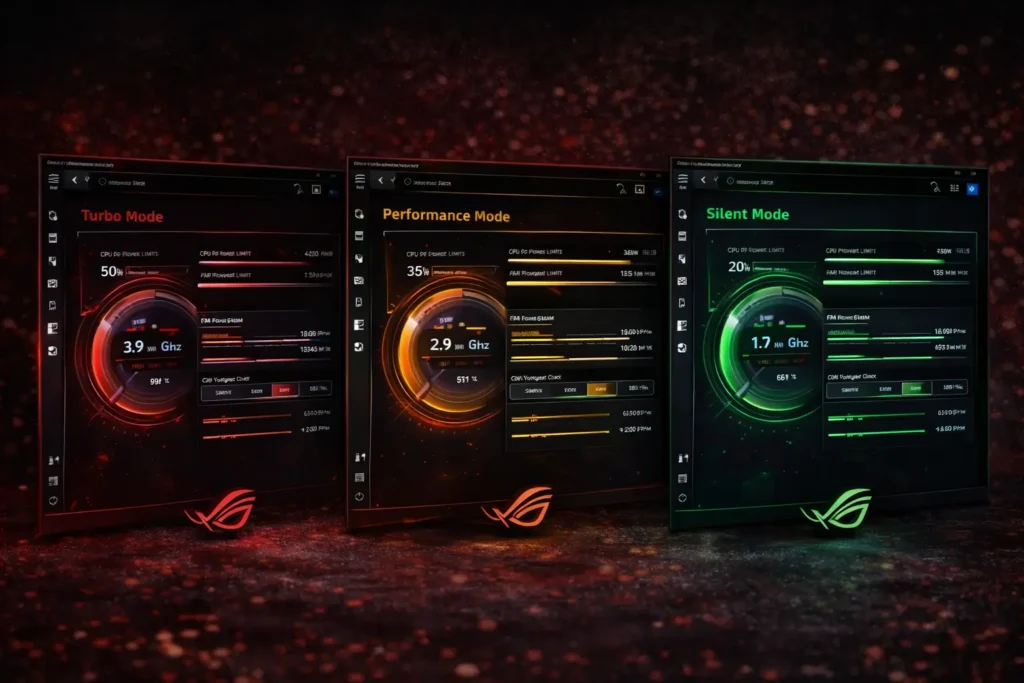
Turbo Mode
Turbo: maximum CPU and GPU power with aggressive cooling, for demanding games while plugged in.
Performance Mode
Performance: balanced power and cooling for everyday gaming without excess heat or noise.
Silent Mode
Silent: limited power and slow fans for quiet work or light use on battery.
If you are worried about FPS drops or battery drain? Learn how Armoury Crate affects gaming performance and battery life before changing your settings.
Is Armoury Crate Safe to Use?
Yes. It is official ASUS software, free of malware when obtained from a trusted source. It only adjusts settings within safe limits set by ASUS, so it cannot damage your hardware. The main complaints are background resource use and occasional bugs, not safety.
What Is the Difference Between Armoury Crate, Armoury Crate SE, and Aura Creator?
The standard app is the full control suite for ROG and TUF devices. Armoury Crate SE is a streamlined version for ROG Ally handhelds. Aura Creator is a separate tool focused purely on advanced RGB effect design.
| Feature | Armoury Crate | Armoury Crate SE | Aura Creator |
|---|---|---|---|
| Main Purpose | Complete system management | Basic control & lighting | Advanced RGB lighting design |
| Performance Modes | Yes (Turbo, Performance, Silent) | No | No |
| RGB Lighting Control | Yes (Aura Sync) | Yes (Basic) | Yes (Advanced) |
| Custom RGB Effects | Limited | Limited | Fully customizable |
| System Monitoring | Yes (CPU, GPU, temps, fans) | No | No |
| Driver & Firmware Updates | Yes | No | No |
| Device Management | Yes (ROG & TUF devices) | Limited | No |
| Ease of Use | Moderate | Very Easy | Advanced |
| Best For | Most ASUS ROG & TUF users | Basic users | RGB enthusiasts |
If you are deciding between the full and light versions, our Lite vs Full comparison breaks down the differences.
Common Armoury Crate Issues & Fixes
1. Armoury Crate Not Opening
Most problems have simple fixes:
Not opening: restart your PC and run the app as administrator. If it persists, reinstalling cleanly usually resolves it.
2. Aura Sync Not Working
Aura Sync not working: confirm devices are connected and supported, then restart the ASUS lighting services. Full Aura Sync fix guide.
Device not detected: check that your hardware is supported and update your system drivers.
Installation failed: confirm your system meets the requirements and fully extract the installer before running it. Installation troubleshooting.
Frequently Asked Questions
What is Armoury Crate used for?
Managing performance modes, cooling, RGB lighting, and system settings on supported ROG and TUF devices.
Is Armoury Crate free to use?
Yes, Armoury Crate is completely free for compatible ASUS devices. There are no paid features or subscriptions required.
Does Armoury Crate work on all ASUS laptops?
No, only supported ROG and TUF models. Some standard ASUS laptops are not compatible.
Is Armoury Crate safe to install?
Yes, when obtained from a trusted source. It is official ASUS software and contains no malware.
Can I uninstall Armoury Crate?
Yes, Armoury Crate can be uninstalled, but some ASUS features like performance modes and RGB control may stop working properly afterward.
Does Armoury Crate improve gaming performance?
Armoury Crate helps optimize system performance by allowing users to switch performance modes, manage cooling, and monitor hardware during gaming.
Why is Armoury Crate not opening?
Usually outdated files or a damaged install. Restart your system or reinstall the app cleanly.
Why is Aura Sync not working in Armoury Crate?
Devices may be unsupported, disconnected, or blocked by a stalled service. Restart the app and reapply your profile.
Does Armoury Crate run in the background?
Yes, to manage performance, device control, and monitoring. You can disable this if you prefer.
Is Armoury Crate required for ASUS laptops?
Armoury Crate is not mandatory, but it is recommended for full access to ASUS-specific features like performance profiles and RGB customization.
Can Armoury Crate cause high CPU usage?
In some cases, Armoury Crate may use more system resources during updates or scanning. Keeping the software updated usually reduces CPU usage.
Does Armoury Crate support Windows 11?
Yes, Armoury Crate supports both Windows 10 and Windows 11 (64-bit versions).

Alex
Hey there, I am a technology researcher and content writer who focuses on system software, PC utilities, and performance tools. I create simple, easy-to-understand guides to help users learn how software like ASUS Armoury Crate works without confusion.
I research features, test common functions, and explain technical topics in clear language so both beginners and experienced users can follow along easily. My goal is to provide accurate, helpful, and up-to-date information that makes technology easier for everyone.